



Every image & PDF tool you need, in one place
Compress, convert, resize and edit in your browser. Free forever, no sign-up.
64+
Tools available
Image & PDF utilities
0
Accounts needed
No sign-up required
Local
Image privacy
Processed on your device
Web
Browser-based
No install needed
About
What is ImgTask?
ImgTask is a free image tools hub — a collection of free image tools and free photo tools for everyday image and PDF tasks. Instead of installing desktop software, you open a tool in your browser, choose a file, adjust settings, and download the result. Image tools stay on your device; nothing is uploaded for compress, convert, resize, blur, or icon packs.
People use these free image tools online to prepare photos for websites, shrink attachments for email, convert iPhone HEIC photos to JPEG, resize images for social posts or forms, blur sensitive areas, and handle common PDF jobs like compressing or merging files.
Think of ImgTask as a free image tools app that runs in your browser: built for website owners, students, designers, developers, marketers, photographers, and anyone who occasionally needs to adjust an image or PDF without learning a full editing suite.
Built for
- Website owners & marketers
- Students & freelancers
- Designers & developers
- Photographers sharing exports
- Anyone needing a quick file fix
Common tasks
Simple process
How it works
Pick a tool, choose settings, and download — image tools stay private on your device.
-
Step 01
Choose a file
Select an image or PDF from your device. Supported image types include JPEG, PNG, WEBP, GIF, BMP, TIFF, AVIF, and HEIC.
-
Step 02
Choose your settings
Adjust quality, size, format, blur, or PDF options—or keep the defaults if they already fit your needs.
-
Step 03
Process privately
Image jobs run in your browser — nothing is uploaded. PDF jobs use a secure server pass only when needed.
-
Step 04
Download the result
Save your finished file instantly. Image results never left your device; PDF outputs are removed after you download.
Benefits
Why use ImgTask?
Practical free image tools online for everyday photo and PDF tasks — without installing software or creating an account.
Works like an image tools app
Open ImgTask in your browser, choose a file, and download the result — a free image tools app experience with no install.
Private image processing
Compress, convert, resize, and blur run on your device. Your photos are never uploaded for those tools.
Clear controls
Each tool exposes practical options such as quality, dimensions, format, or PDF settings.
Common formats
Use free photo tools with JPEG, PNG, WEBP, GIF, HEIC, and other formats accepted by each tool.
Compatibility
Supported formats
Exact options depend on the tool. Conversion targets a specific output format; compressing a HEIC photo saves as JPEG.
Image uploads
Accepted by image tools
JPEG
PNG
WEBP
GIF
BMP
TIFF
AVIF
HEIC/HEIF
PDF tools
Compress · Merge · Convert
PDF
Images → PDF
PDF → JPEG/PNG
PDF tools accept PDF files. Image-to-PDF accepts the same image types listed for image uploads.
- Per image
- 200 MB
- Compress, resize, blur, convert
- Per image in Image to PDF
- 50 MB
- When combining images into a PDF
- Per PDF
- 100 MB
- Compress, merge, PDF to image
Your privacy
Your files stay yours
ImgTask is built so image work never needs a cloud upload. Photos are processed in your browser — private by default.
Images never leave your device
Compress, convert, resize, blur, favicons, and app icons run entirely in your browser. We never receive those files — so there is nothing to store, share, or train on.
-
Private by design
Image processing happens locally. Your photos stay on the device you already trust.
-
No AI training on your files
We do not use your images or PDFs to train models. Your work stays your work.
-
PDF jobs, handled carefully
When a PDF needs server processing, it is used only for your request and discarded promptly after download.
Read the full details in our Privacy Policy and Cookie Policy. Only process files you own or have permission to use.
Examples
Practical use cases
Everyday jobs people use ImgTask for—without opening a full design suite.
Shrink for websites
Reduce image size before uploading to a website or CMS.
Compress ImageResize for social & forms
Resize photos for social media posts, profile images, or online forms.
Resize ImageiPhone HEIC to JPEG
Convert HEIC photos from an iPhone to JPEG for email or printing services.
HEIC to JPGWEBP for faster pages
Convert PNG or JPEG assets to WEBP for faster-loading pages.
JPG to WEBPProduct catalog images
Optimize product images for catalogs and marketplaces.
Compress ImageFit email limits
Shrink images or PDFs so they fit email attachment limits.
Compress PDFCombine PDF files
Merge several PDFs into one file for sharing or submission.
Merge PDFBlur private details
Blur faces or background details before publishing a screenshot.
Blur ImageBlog
Latest from the blog
Guides and tips for compressing, converting, and getting more from your image and PDF tools.
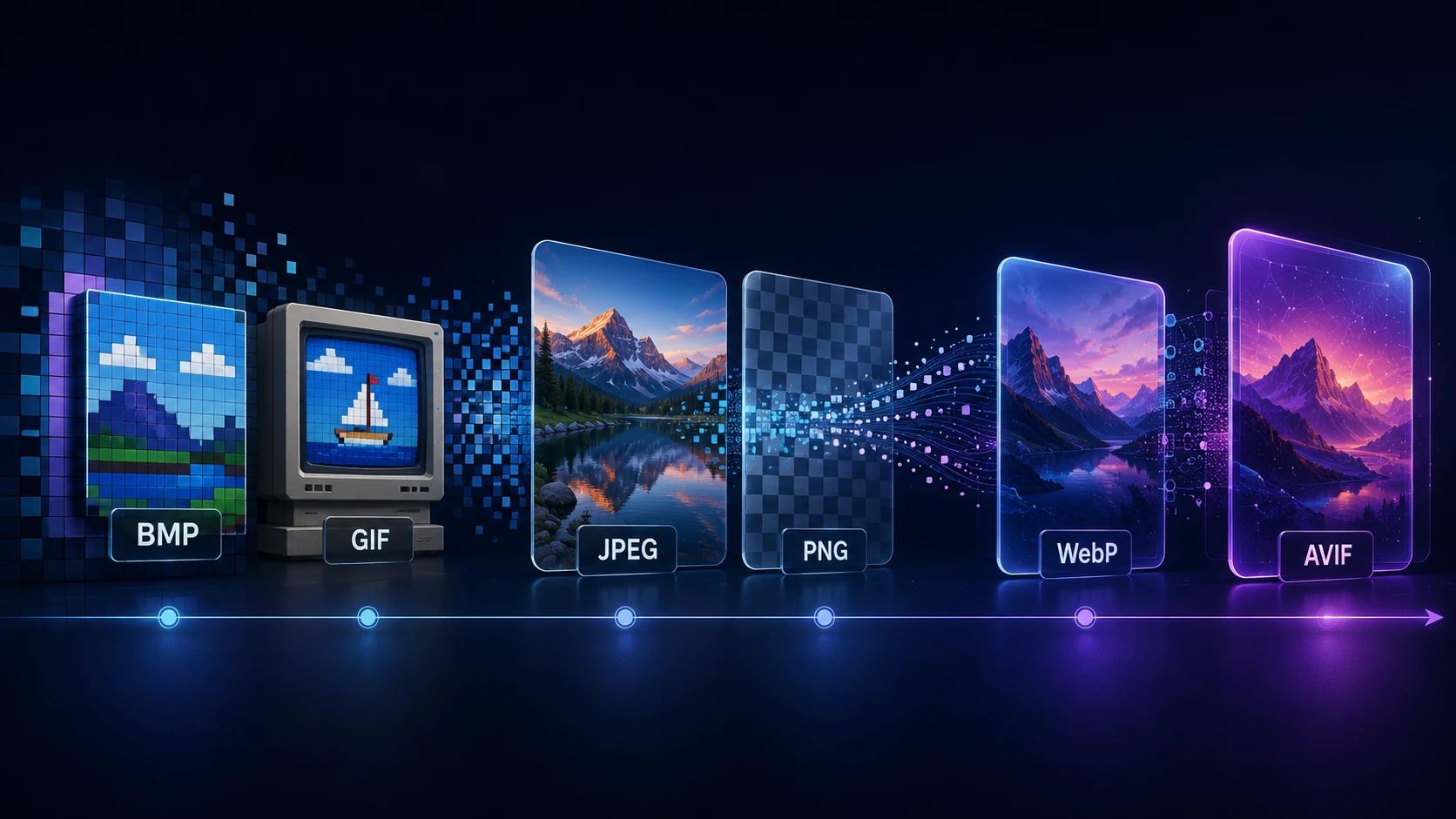
A Brief History of Digital Image Formats: From BMP and GIF to WebP and AVIF
Dinitha Ransidu 12 min read
Frequently asked questions
Yes. ImgTask is a set of free image tools online — and free PDF tools — that you can use without creating an account. Upload limits apply per file.
No. You can open any tool, upload a file, process it, and download the result without signing up.
ImgTask is an image tools hub with free photo tools for compressing, resizing, converting, and blurring images, plus converters for JPEG, PNG, WEBP, GIF, BMP, TIFF, AVIF, and HEIC/HEIF. PDF tools cover compress, merge, image to PDF, PDF to image, PDF to PowerPoint, and browser converters for Word, Excel, HTML, and JPG.
ImgTask accepts JPEG, PNG, WEBP, GIF, BMP, TIFF, AVIF, and HEIC/HEIF (iPhone photos). Supported options depend on the tool you use.
It depends on the tool and settings. Compression and JPEG conversion can reduce quality to save size. Resizing changes dimensions. Lossless PNG conversion keeps pixel data but may change file size.
Image tools never upload your photos. Compress, convert, resize, blur, favicons, and app icons run entirely in your browser, so files stay on your device. Browser PDF converters also stay in the browser. Other PDF tools need a secure server pass to finish the job, then results are removed promptly — see the Privacy Policy for details.
Yes for image tools — compress, resize, convert, blur, favicons, and app icons run in your browser. Browser PDF converters also run in your browser. Compress PDF, merge PDF, image to PDF, and PDF to image still run on our servers.
Yes. The site works in modern mobile browsers. Large PDF files may take longer on slower connections.
Resizing changes width and height (dimensions). Compressing reduces file size, often by adjusting quality or encoding, without necessarily changing the pixel dimensions.
Some formats (such as PNG) are lossless and can be larger than a compressed JPEG or WEBP of the same image. Transparency, color depth, and encoding settings also affect size.
Yes. Image tools have per-file upload limits. See each tool page for the current maximum.
No. Your files are never used to train AI models. Image tools never leave your device; PDF jobs are processed only for your request and then discarded.
Yes. PNG uploads with transparency are supported. Converting a transparent PNG to JPEG fills the background (usually white) because JPEG does not support transparency.
Questions about the service? Contact us or read more about ImgTask.