Generator favicon
Darmowy generator favicon online. Prześlij logo lub obraz i pobierz ZIP z favicon.ico, rozmiarami PNG i apple-touch-icon dla swojej strony — bez konta.
A favicon generator that gives you every file you need
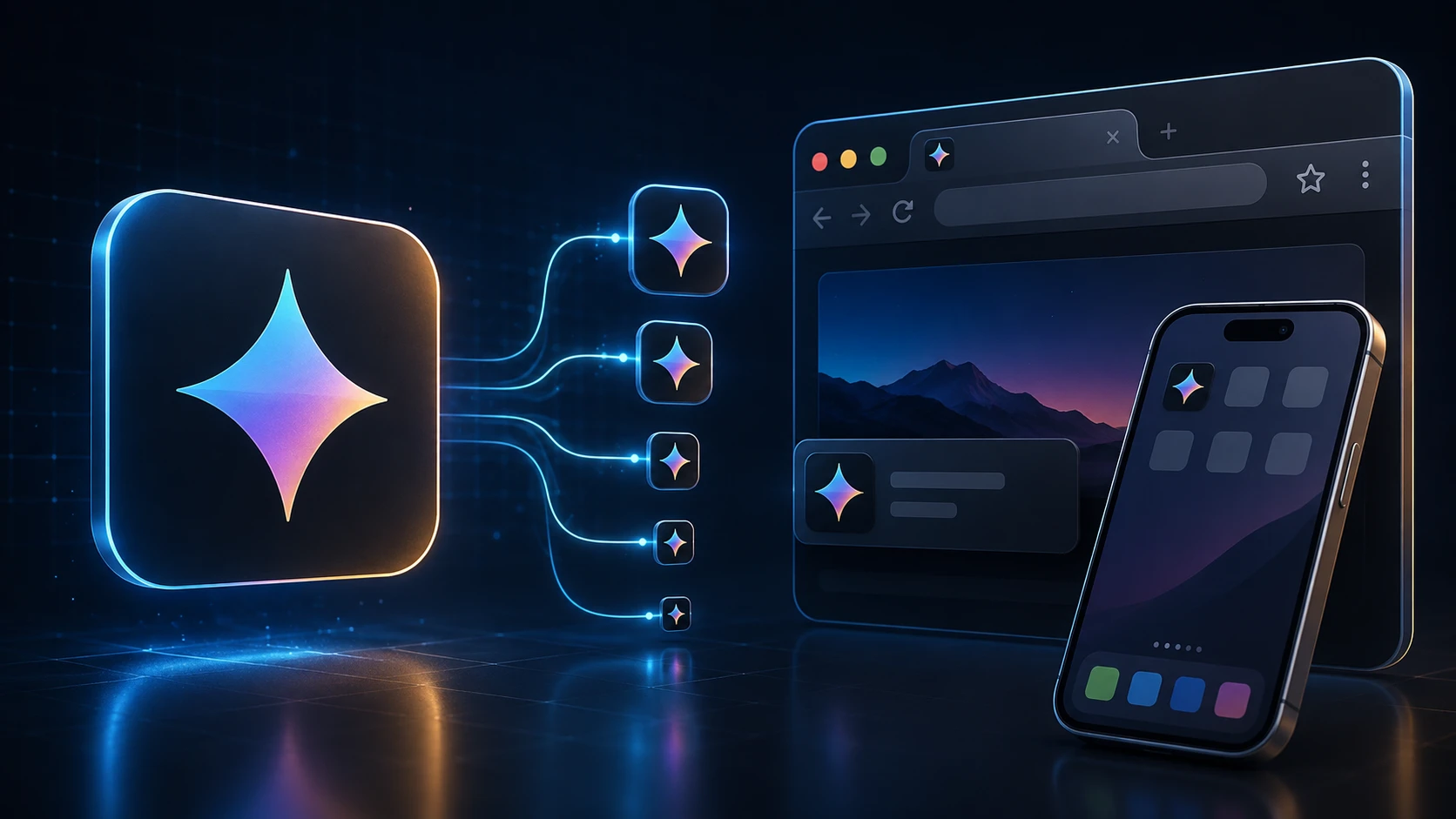
A favicon is the tiny icon in a browser tab, in bookmarks and on a phone's home screen when someone saves your site. This favicon generator takes one logo and produces the full set: a multi-size favicon.ico, crisp PNGs for modern browsers, and the Apple touch icon iOS uses for home-screen shortcuts.
Everything is created in your browser and handed back as a single ZIP, so you can drop the files into your site in a minute. It works for a hand-coded HTML site, a WordPress blog or an online store alike.
How to create a favicon
You'll need access to your website's files or its theme settings.
- 1
Prześlij logo lub obraz
Upuść kwadratowy PNG, JPG, WEBP lub inny obsługiwany obraz w obszarze przesyłania (maks. 250 MB). Kwadratowe logo działają najlepiej.
- 2
Wygeneruj pakiet favicon
Naciśnij Wygeneruj pakiet favicon. Przetwarzanie odbywa się w przeglądarce i automatycznie tworzy wiele rozmiarów ikon.
- 3
Pobierz ZIP
Pobierz ZIP z favicon.ico (16/32/48), favicon-16x16.png, favicon-32x32.png i apple-touch-icon.png (180×180).
- 4
Dodaj pliki do strony
Umieść favicon.ico w katalogu głównym strony i podlinkuj ikony PNG w HTML <head> dla przeglądarek i ekranów głównych iOS.
What's in the ZIP
| File | Size | Used by |
|---|---|---|
| favicon.ico | 16, 32 and 48 px in one file | All browsers, Windows shortcuts, tools that request /favicon.ico |
| favicon-32x32.png | 32 × 32 px | Browser tabs on high-resolution screens |
| favicon-16x16.png | 16 × 16 px | Browser tabs and bookmarks on standard screens |
| apple-touch-icon.png | 180 × 180 px | iPhone and iPad home-screen shortcuts |
Add the favicon to your website
Upload the four files to the root of your site (the same folder as your home page), then add these lines inside the head section of your HTML:
- <link rel="icon" href="/favicon.ico" sizes="48x48">
- <link rel="icon" type="image/png" sizes="32x32" href="/favicon-32x32.png">
- <link rel="icon" type="image/png" sizes="16x16" href="/favicon-16x16.png">
- <link rel="apple-touch-icon" sizes="180x180" href="/apple-touch-icon.png">
WordPress: go to Appearance → Customize → Site Identity and upload the 512-pixel version of your logo as the Site Icon, or add the files and tags through your theme. Shopify, Wix and Squarespace each have a favicon field in their site settings; upload favicon-32x32.png or your original square logo there.
Designing a favicon that reads at 16 pixels
- Simplify. A full logo with a wordmark turns into mush at 16 pixels. Use the symbol alone, or the first letter of your brand.
- Go bold. Thin strokes disappear. Thicken lines and remove small details before you upload.
- Use strong contrast. Tabs can be light or dark. A solid shape on a transparent background, or a light symbol on a solid colored square, works on both.
- Start square and large. A 512 × 512 or 1024 × 1024 PNG gives the generator plenty of detail to work with when it scales down.
- Check it in a real tab. Open your site with several tabs and see whether you can spot your icon at a glance.
Free and private
This free favicon generator has no sign-up and no limits. Your logo is processed on your own device, so it isn't uploaded or stored anywhere. Building a mobile app as well? The app icon pack generator makes Android and iOS icon sets from the same image, and ICO to PNG pulls a PNG back out of an existing favicon.
Więcej narzędzi
Każde narzędzie jest darmowe, prywatne i działa w kilka sekund.
Narzędzia do obrazów
49 Compress Image JPEG · PNG · WEBP · GIF · BMP · TIFF · AVIF · HEIC Resize Image Exact px or % Blur Image Gaussian & motion
Konwertuj na JPG
JPGKonwertuj na PNG
PNGKonwertuj na WEBP
WEBPKonwertuj na AVIF
AVIFKonwertuj na TIFF
TIFFKonwertuj na GIF
GIFFavicon / ICO
Narzędzia PDF
12 Compress PDF Shrink for email & web Merge PDF Combine multiple files Image to PDF Images → single PDF PDF to Image Extract as PNG/JPG PDF to PowerPoint Pages → PPTX slides JPG to PDF Photos → PDF pages Word to PDF DOCX → PDF Excel to PDF XLSX → PDF table HTML to PDF Web page file → PDF PDF to JPG Pages → JPEG PDF to Word Extract text to DOCX PDF to Excel Tables → XLSX
Najczęściej zadawane pytania
Generator favicon tworzy pliki ikon wyświetlane przez przeglądarki w kartach, zakładkach i ekranach głównych. To narzędzie buduje wielorozmiarowe ICO plus ikony PNG z jednego przesłania.
Tak. Ten darmowy generator favicon online nie wymaga rejestracji, znaku wodnego ani instalacji oprogramowania. Obowiązują limity przesyłania (250 MB).
Tak. To narzędzie tworzy wielorozmiarowe favicon.ico (16×16, 32×32, 48×48) oraz zawiera pliki PNG favicon i apple-touch-icon w ZIP.
Otrzymujesz favicon.ico w rozmiarach 16×16, 32×32 i 48×48, plus favicon-16x16.png, favicon-32x32.png i apple-touch-icon.png w 180×180 dla iOS.
Kwadratowe logo lub ikona o co najmniej 180×180 pikseli działa najlepiej. Przezroczyste logo PNG zwykle wyglądają czyściej niż złożone zdjęcia w malutkich rozmiarach favicon.
Prześlij favicon.ico do katalogu głównego strony i dodaj <link rel="icon" href="/favicon.ico"> w nagłówku HTML. Podlinkuj też pliki PNG i apple-touch-icon dla nowoczesnych przeglądarek.
Generowanie działa w Twojej przeglądarce. Obraz jest przetwarzany lokalnie i nie jest przesyłany na serwer ImgTask.
Nie. ImgTask nie dodaje znaków wodnych do wygenerowanych plików favicon.
Blog
Poradniki i wskazówki z bloga
Krótkie, praktyczne artykuły, dzięki którym wyciągniesz więcej z ImgTask i pracy z obrazami lub PDF.