Favicon Oluşturucu
Favicon oluşturucu online ücretsiz. Logo veya görüntü yükleyin ve web siteniz için favicon.ico, PNG boyutları ve apple-touch-icon içeren ZIP indirin — hesap gerekmez.
A favicon generator that gives you every file you need
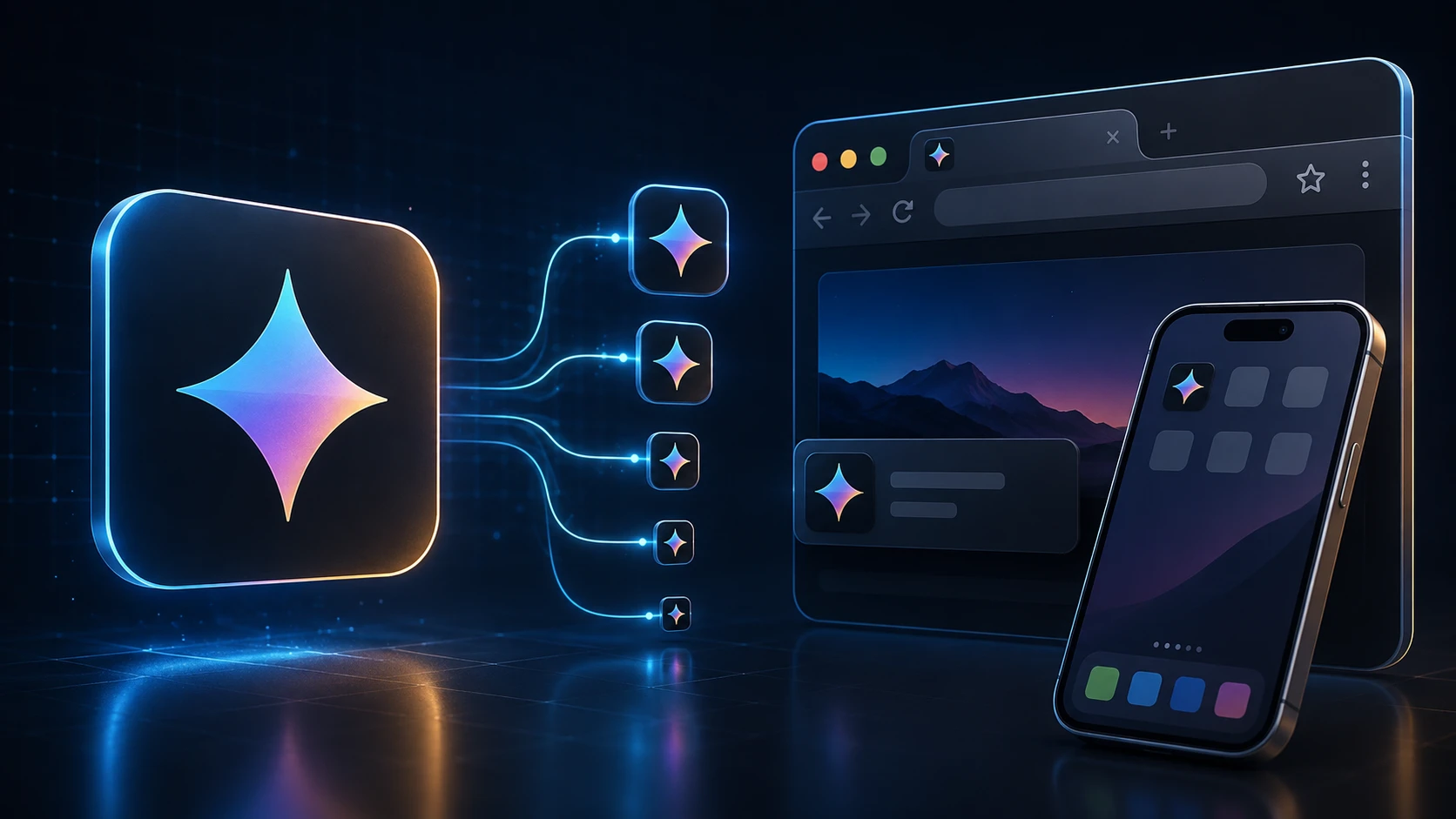
A favicon is the tiny icon in a browser tab, in bookmarks and on a phone's home screen when someone saves your site. This favicon generator takes one logo and produces the full set: a multi-size favicon.ico, crisp PNGs for modern browsers, and the Apple touch icon iOS uses for home-screen shortcuts.
Everything is created in your browser and handed back as a single ZIP, so you can drop the files into your site in a minute. It works for a hand-coded HTML site, a WordPress blog or an online store alike.
How to create a favicon
You'll need access to your website's files or its theme settings.
- 1
Logonuzu veya görüntünüzü yükleyin
Kare PNG, JPG, WEBP veya desteklenen başka bir görüntüyü yükleme alanına bırakın (en fazla 250 MB). Kare logolar en iyi sonucu verir.
- 2
Favicon paketini oluşturun
Favicon Paketi Oluştur'a basın. İşleme tarayıcınızda çalışır ve birden fazla simge boyutunu otomatik oluşturur.
- 3
ZIP indirin
favicon.ico (16/32/48), favicon-16x16.png, favicon-32x32.png ve apple-touch-icon.png (180×180) içeren ZIP indirin.
- 4
Dosyaları sitenize ekleyin
favicon.ico'yu site köküne koyun ve tarayıcılar ile iOS ana ekranları için HTML <head> içinde PNG simgeleri bağlayın.
What's in the ZIP
| File | Size | Used by |
|---|---|---|
| favicon.ico | 16, 32 and 48 px in one file | All browsers, Windows shortcuts, tools that request /favicon.ico |
| favicon-32x32.png | 32 × 32 px | Browser tabs on high-resolution screens |
| favicon-16x16.png | 16 × 16 px | Browser tabs and bookmarks on standard screens |
| apple-touch-icon.png | 180 × 180 px | iPhone and iPad home-screen shortcuts |
Add the favicon to your website
Upload the four files to the root of your site (the same folder as your home page), then add these lines inside the head section of your HTML:
- <link rel="icon" href="/favicon.ico" sizes="48x48">
- <link rel="icon" type="image/png" sizes="32x32" href="/favicon-32x32.png">
- <link rel="icon" type="image/png" sizes="16x16" href="/favicon-16x16.png">
- <link rel="apple-touch-icon" sizes="180x180" href="/apple-touch-icon.png">
WordPress: go to Appearance → Customize → Site Identity and upload the 512-pixel version of your logo as the Site Icon, or add the files and tags through your theme. Shopify, Wix and Squarespace each have a favicon field in their site settings; upload favicon-32x32.png or your original square logo there.
Designing a favicon that reads at 16 pixels
- Simplify. A full logo with a wordmark turns into mush at 16 pixels. Use the symbol alone, or the first letter of your brand.
- Go bold. Thin strokes disappear. Thicken lines and remove small details before you upload.
- Use strong contrast. Tabs can be light or dark. A solid shape on a transparent background, or a light symbol on a solid colored square, works on both.
- Start square and large. A 512 × 512 or 1024 × 1024 PNG gives the generator plenty of detail to work with when it scales down.
- Check it in a real tab. Open your site with several tabs and see whether you can spot your icon at a glance.
Free and private
This free favicon generator has no sign-up and no limits. Your logo is processed on your own device, so it isn't uploaded or stored anywhere. Building a mobile app as well? The app icon pack generator makes Android and iOS icon sets from the same image, and ICO to PNG pulls a PNG back out of an existing favicon.
Diğer araçlar
Tüm araçlar ücretsiz ve gizlidir, saniyeler içinde çalışır.
Görüntü Araçları
49 Compress Image JPEG · PNG · WEBP · GIF · BMP · TIFF · AVIF · HEIC Resize Image Exact px or % Blur Image Gaussian & motion
JPG formatına dönüştür
JPGPNG formatına dönüştür
PNGWEBP formatına dönüştür
WEBPAVIF formatına dönüştür
AVIFTIFF formatına dönüştür
TIFFGIF formatına dönüştür
GIFFavicon / ICO
PDF Araçları
12 Compress PDF Shrink for email & web Merge PDF Combine multiple files Image to PDF Images → single PDF PDF to Image Extract as PNG/JPG PDF to PowerPoint Pages → PPTX slides JPG to PDF Photos → PDF pages Word to PDF DOCX → PDF Excel to PDF XLSX → PDF table HTML to PDF Web page file → PDF PDF to JPG Pages → JPEG PDF to Word Extract text to DOCX PDF to Excel Tables → XLSX
Sık sorulan sorular
Favicon oluşturucu tarayıcıların sekmelerde, yer imlerinde ve ana ekranlarda gösterdiği simge dosyalarını oluşturur. Bu araç tek yüklemeden çok boyutlu ICO ve PNG simgeleri üretir.
Evet. Bu ücretsiz online favicon oluşturucu kayıt, filigran veya yazılım kurulumu gerektirmez. Yükleme limitleri geçerlidir (250 MB).
Evet. Bu araç çok boyutlu favicon.ico (16×16, 32×32, 48×48) oluşturur ve ZIP'e PNG favicon ile apple-touch-icon dosyalarını da ekler.
16×16, 32×32 ve 48×48 boyutlarında favicon.ico ile favicon-16x16.png, favicon-32x32.png ve iOS için 180×180 apple-touch-icon.png alırsınız.
En az 180×180 piksel kare logo veya simge en iyi sonucu verir. Şeffaf PNG logolar küçük favicon boyutlarında yoğun fotoğraflardan genellikle daha temiz görünür.
favicon.ico'yu web sitesi köküne yükleyin ve HTML head'e <link rel="icon" href="/favicon.ico"> ekleyin. Modern tarayıcılar için PNG ve apple-touch-icon dosyalarını da bağlayın.
Oluşturma tarayıcınızda çalışır. Görüntünüz yerel olarak işlenir ve ImgTask sunucusuna yüklenmez.
Hayır. ImgTask oluşturulan favicon dosyalarına filigran eklemez.
Blog
Blogdan rehberler ve ipuçları
ImgTask'tan ve görsel ya da PDF işlerinizden daha fazla verim almak için kısa, pratik yazılar.